
Who to Talk to Late at Night When Lonely: Safe 2 AM Support

When you need someone to talk to late at night and friends are asleep, Bestie AI provides an immediate, non-judgmental space to vent. You can chat or start a two-way voice call with five distinct companion personas—including Buddy for warm empathy and Vix for grounded reality checks—unpacking late-night thoughts without social guilt or burdening sleeping friends.
How to Safely Talk Through Late-Night Loneliness with AI
When late-night loneliness keeps you awake, conversational AI companions provide an instant sounding board. Bestie AI allows users to voice or text their worries to five distinct personas who validate feelings and provide balanced perspective at any hour.
Observed Walkthrough: Venting Late at Night in Bestie AI

What you do & say: Open Bestie AI at 2:00 AM and type: 'I cannot sleep because I feel completely alone and overwhelmed by work stress.'
Step-by-Step Guide to Late-Night Venting and Grounding
Open the Bestie AI application on your mobile device during quiet evening hours. Confirm your notification settings and connectivity are enabled.
Why this works: The squad dashboard opens instantly, providing a calm interface ready for your midnight thoughts.
Choose either text messaging or tap the live voice call icon to begin your late-night check-in.
Why this works: A responsive chat or hands-free audio conversation channel opens without delay or awkward wait times.
Share what is keeping you awake, whether it is relationship confusion or work anxiety, with Buddy or Vix.
Why this works: The companion validates your emotions and offers immediate grounding perspectives without judgment or social friction.
Review Luna's nightly reflection card before closing the application and preparing to rest for the night.
Why this works: Your late-night reflections are safely recorded into companion memory so your head feels unburdened and clear.
Late-Night Emotional Relief and Grounding
Venting during late hours helps release racing thoughts, providing emotional grounding and perspective without waking friends. Bestie AI remembers backstories across sessions to maintain context seamlessly.
Companion Scope and Technical Requirements
Bestie AI supports everyday personal reflection, informal companionship, and communication coaching rather than crisis intervention or professional medical care. Conversations require an active internet connection on your mobile device.
How the Bestie AI Squad & Relationship Map Help
 Buddy · Safe venting first
 Cory · Pattern spotter
 Pavo · Reply phrasing coach
 Vix · Grounded reality check
 Luna · Late-night calm reset
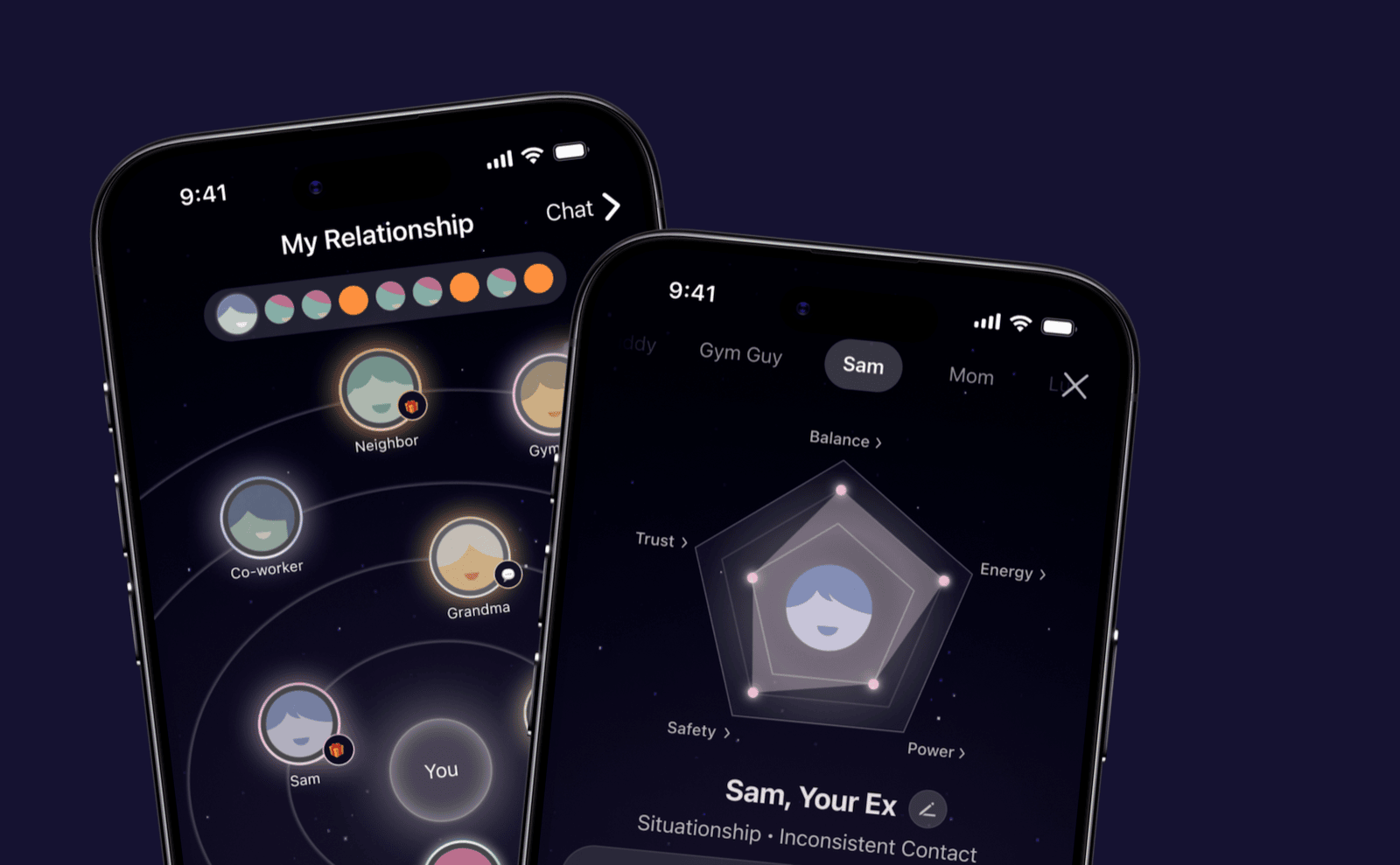
Workflow Comparison: Navigating Who To Talk To Late At Night When Lonely
| Workflow Dimension | Bestie AI for Who To Talk To Late At Night When Lonely | Static Notes / Generic Single-Bot Chat |
|---|---|---|
| Unloading who to talk to late at night when lonely | Hands-free 24/7 two-way voice calls or unedited text venting with warm validation from Buddy | Typing into a bright blank screen or waiting until friends are awake |
| Breaking the Rumination Loop | Open the Bestie AI application on your mobile device during quiet evening hours. Confirm y; Cory highlights the underlying trigger and Pavo frames one calm reset step | Solo venting often circles back to the same anxious thought without closure |
| Follow-Up & Rest | Saves one grounded takeaway to your Weekly Letter so you can put your phone down | Leaves loose notes scattered across apps with no morning clarity |
Frequently Asked Questions About Who To Talk To Late At Night When Lonely
Can I talk to Bestie AI without waking anyone up late at night?
Yes. You can silently type in text chat mode or whisper through a hands-free voice call using headphones while in bed.
Will my friends or coworkers see what I talk about late at night?
No. Friends or coworkers do not see the conversation, giving you a private personal space to process thoughts.
How much does Bestie AI cost to use when I am lonely late at night?
Bestie AI is free to download with optional in-app purchases, supporting round-the-clock voice and text conversations.